Send with the right identity
Build the outgoing address from company domain settings and the user's email prefix, prepare content, and publish work to the delivery pipeline.
Bản tiếng Việt của case study này đang được viết — nội dung bên dưới là tiếng Anh.
Haraworks · Engineering case study
I built a dedicated mailbox read model, moved large-audience mail processing to Kafka, and designed the external email integration flow from the ground up.
The challenge
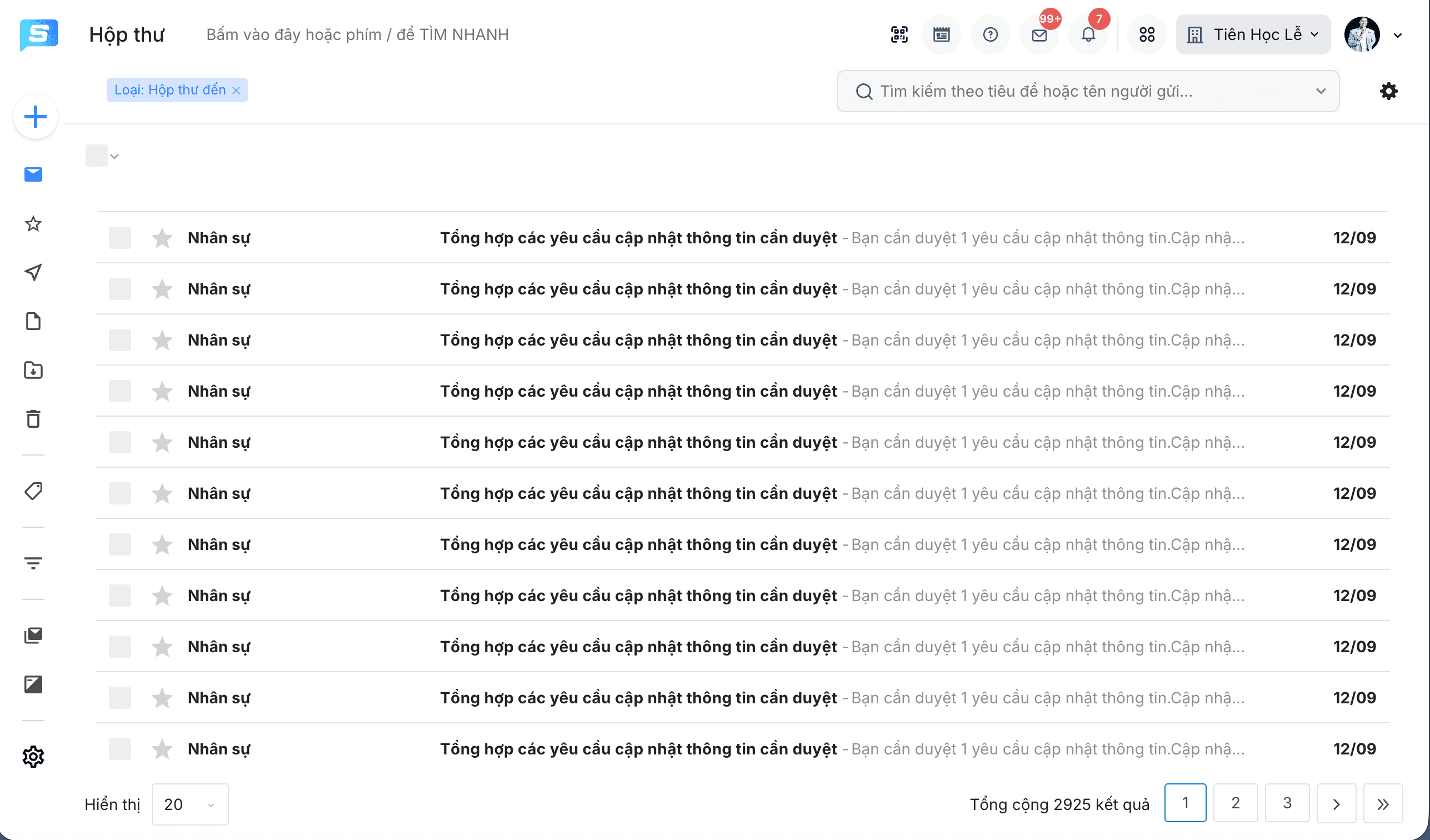
Every row in the mailbox brings together a conversation, its sender and recipients, read information, and a folder classification. Each person has their own view of that same conversation.
At the same time, mail distribution needed to grow from hundreds to more than 10,000 recipients per send. The read path and the send path each needed a different solution.
01 / Read performance
The user wants a list of conversations. The backend needs to assemble who sent them, who received them, how many people read them, and which mailbox type they belong to.
Repeated assembly makes the list-loading path do more work.
Less data assembly when a user opens Inbox, Sent, or Drafts.
A mailbox read model organized by user and type, with repositories and worker updates to keep the list view aligned with conversation and recipient changes.
A dedicated read model reduces list-loading work, but adds synchronization responsibilities. Drafts, unread counts, labels, archive actions, and shared conversations must update the right user's view.
Reduced mailbox list-loading time while preserving a familiar inbox experience.
02 / Distribution at scale
Sending to a larger audience multiplies the work behind one click: sender and recipient records, labels, mailbox views, and notifications all need processing.
Move audience-wide work out of the API request.
Validate the request.
Persist the message.
Publish processing work.
Carry work beyond the lifetime of the initial request.
Message queueConceptual flow of the Kafka-based implementation I worked on.
The API response should not depend on processing the entire audience. I moved that work into messages so workers could continue after the initial request.
Sender and recipient state connects background work to the mailbox experience. Processing status, errors, and notifications help users understand what happens after they click Send.
03 / Integration ownership
I designed and built the two-way external email integration flow from the ground up, connecting the internal mailbox with the platform's email delivery infrastructure.
Build the outgoing address from company domain settings and the user's email prefix, prepare content, and publish work to the delivery pipeline.
Resolve incoming recipients to employees, check domain configuration, and use message references to associate replies with the internal conversation.
Prepare signed attachment links for outgoing email and transfer incoming files into application storage. Adapt editor HTML for email rendering.
Reconcile sending logs, report failures, and provide company-specific controls for domains, allowed senders, external sending, and email prefixes.
I worked on send-log reconciliation and image-based open tracking. An open signal adds visibility, but does not guarantee that a person has read the message.
Full-stack product work
Alongside the backend work, I developed and refined the React interfaces and API behavior that people use to organize, personalize, and follow up on mail.
Labels, archive flows, unread counts, and filters based on senders, recipients, or keywords.
Less manual organizationMail-merge management, recipient validation, permissions, inbox integration, and index synchronization.
Personalized content in one mailboxDepartment and job-title filters, read/error status, and background Excel exports with a notification when ready.
Clearer follow-up for sendersWhat this project demonstrates
My contribution spans how data is read, how work is distributed, and how separate systems exchange messages. Each decision serves the same goal: make enterprise communication practical at a larger scale.
Prepared views by user and type reduce list-loading work.
Kafka separates large-audience processing from API requests.
A flow built from the ground up connects outside replies to internal conversations.